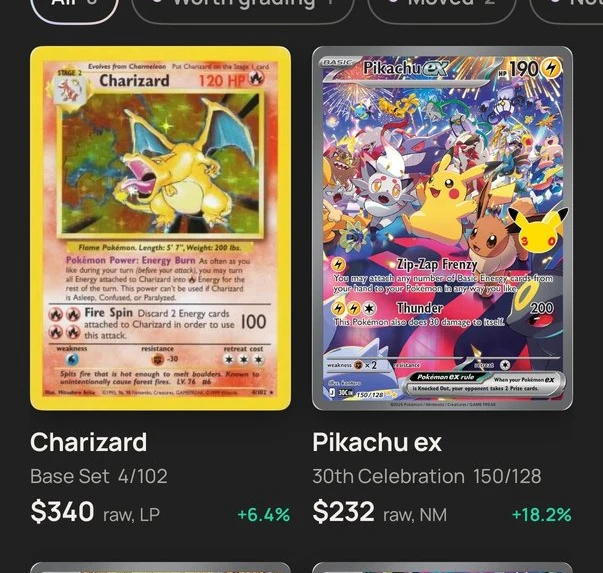
My Collection
Build binders by set, type, or hand-picked favorites. Follow their value over time and find cards worth another look.
Explore My Collection
Make a binder for one set and see which card accounts for the largest share of its value.
Scan singles and sealed products together at your next card show. Check each match, then show the seller your offer.
Test OfferAdd cards to an offer and adjust your percentage as you negotiate.
Recorded in Fervor with sample cards and prices.Build binders by set, type, or hand-picked favorites. Follow their value over time and find cards worth another look.
Make a binder for one set and see which card accounts for the largest share of its value.
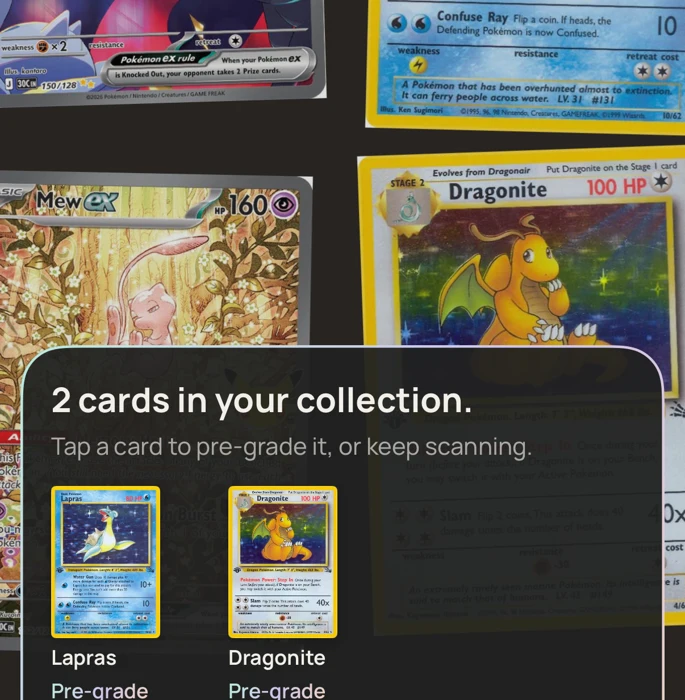
Scan a card or a batch into your binder. Use Deep Check to inspect centering, corners, edges, and surface in a saved condition report.
Pick a card with an edge you’re unsure about and open its condition report.
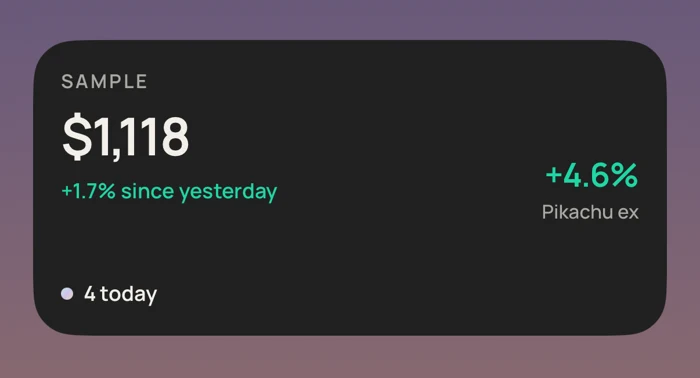
See which cards moved since your last look. Keep the collection total on your Home Screen and opt into alerts for meaningful changes.
Put the collection widget on your Home Screen and check it after your next scan.
Scan singles and sealed products onto one table. Adjust condition and your offer percentage, then show the seller your total.
Put two singles and a sealed product on the table and set one offer for the lot.

Open a supported auction venue and look up the card on screen while you follow the sale.
Open your usual venue and look up the printing before the lot closes.
Compare boxes, tins, and packs across venues. Put the lowest asking price next to recent sales.
Look up a box you own and compare the lowest asking price with recent sales.

Explore nearby shops on the map, compare a reported restock price with resale prices, and set alerts for products you want.
Set an alert for a product you’d buy at retail.

Set a target for the exact printing, condition, or grade you want. See how available prices compare before making a trade.
Choose a printing you want and set the price you’d trade at.

Compare raw and graded prices for the same card. Check fees, gem rates, and population where data is available.
Compare a raw card in your binder with the graded price after fees.

Examine a TAG slab’s reported defects alongside comparable PSA sales before deciding whether a second submission makes sense.
Bring a TAG certification and inspect the defects that could affect a second grade.

Open daily, weekly, or monthly editions to see collection movers and compare trends across Pokémon eras.
Compare this week’s movers with the cards you actually hold.
Bring your want list to a show, check in, and see who else is there. Collectors 18 and older can explore card matches.
Build a want list for the next show you plan to attend.
Share pulls on your profile, follow collectors, and join clubs. Swap invite codes or scan a handshake to build your Standing.
Share a recent pull and find a club that collects the same era.
What would you try with your own cards? Pick one feature below. We review each application and email selected testers a TestFlight invite. Your feedback helps us decide what to improve before launch.